> ## Documentation Index
> Fetch the complete documentation index at: https://docs.brikl.co/llms.txt
> Use this file to discover all available pages before exploring further.
# Button 17
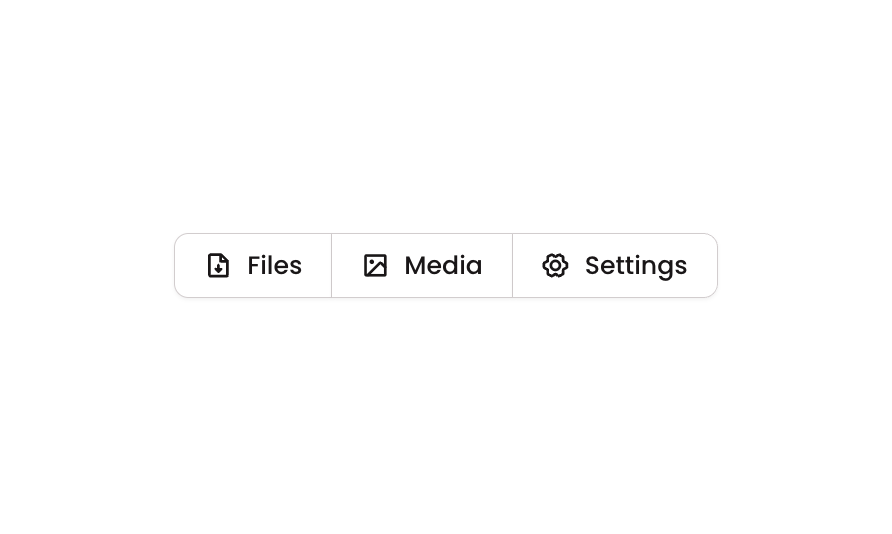
> Horizontal button group with three icon-label buttons: Files, Media, and Settings, styled with borders.
## Overview
Button 17 is a horizontal button group component containing three segmented buttons (Files, Media, Settings), each with a phosphor icon and label. The buttons are visually connected with shared borders and rounded corners only on the outer edges, creating a cohesive toolbar-style control. It is suitable for navigation tabs, filter selectors, or action groups in both web and mobile interfaces.
## How to use
Navigate to the **Elements** category in the Brikl panel.
Find **Button 17** and click **Copy**.
Paste it into your Bubble canvas with `Cmd + V` (Mac) or `Ctrl + V` (Windows),
or right-click on the canvas and select **Paste**.
## States
This component includes conditional states that automatically change its appearance.
| State | Trigger | Visual effect |
| -------- | --------------------------------------------------- | ---------------------------------------------------------------------- |
| Hovered | User hovers over any button | Button background changes to rgba(245, 244, 244, 1), a light grey tint |
| Disabled | Button is not clickable (isnt\_clickable condition) | Button opacity reduces to 50%, visually indicating it is inactive |
These states are handled natively by Bubble and require no additional setup.
They will work automatically once the component is pasted into your editor.
## Responsive
This component adapts to mobile screens. Font sizes and layout automatically adjust on screens smaller than Bubble's built-in mobile breakpoint.
## Requirements
| | |
| ----------- | --------------------- |
| License | Starter plan required |
| Plugins | None |
| Custom code | Not required |
## Platforms
| Platform | Supported |
| -------- | --------- |
| Web | ✅ |
| Mobile | ✅ |
## License
This component requires a **Starter** plan.