> ## Documentation Index
> Fetch the complete documentation index at: https://docs.brikl.co/llms.txt
> Use this file to discover all available pages before exploring further.
# Pricing 04
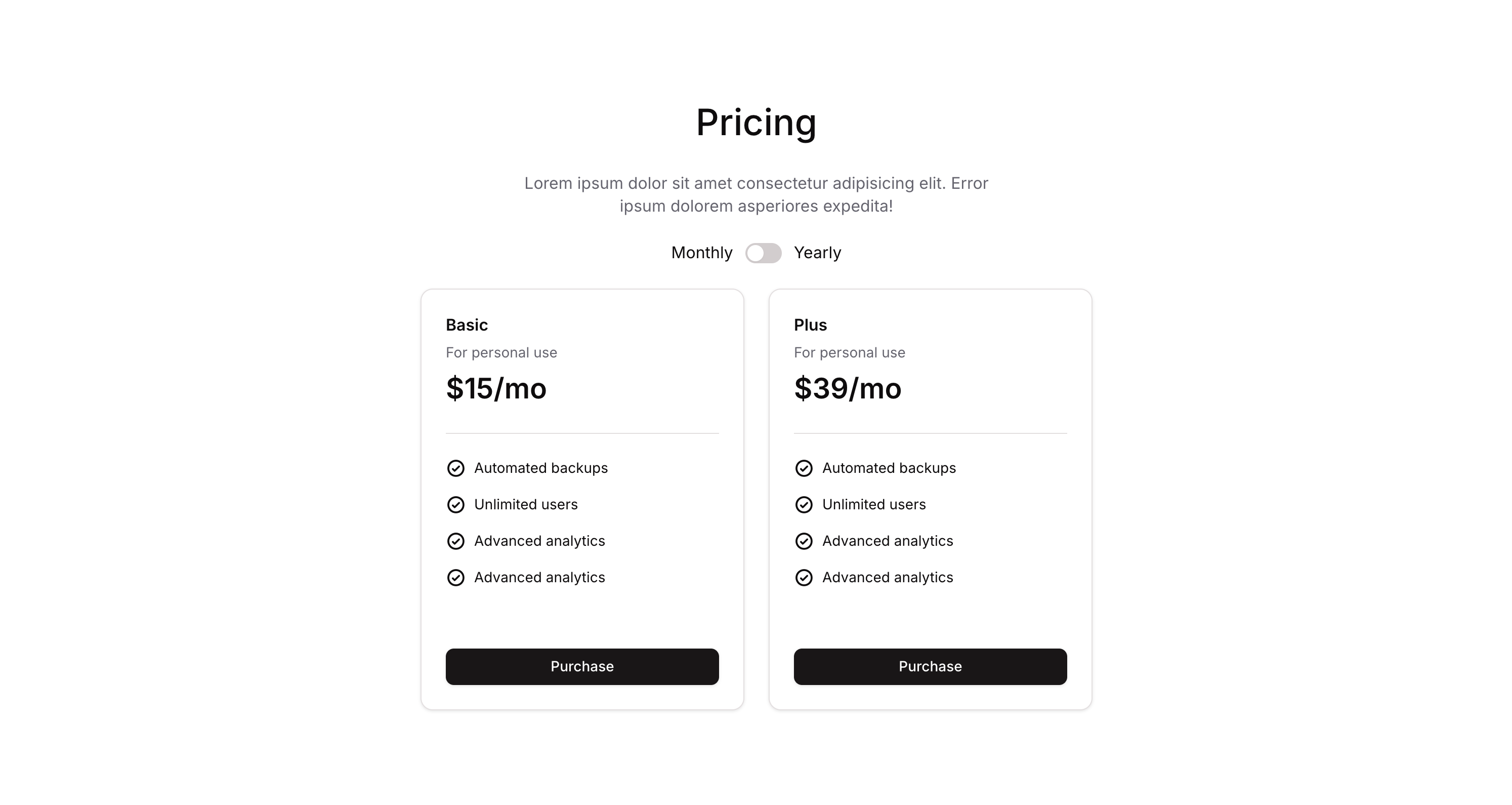
> Centered pricing section with toggle billing switch and pricing cards in a clean layout.
## Overview
Pricing 04 is a marketing pricing section component featuring a heading, subtitle, a monthly/yearly billing toggle switch, and pricing cards. It allows users to switch between billing periods, dynamically updating the displayed pricing. The toggle uses a custom state to track whether yearly billing is active, and the layout is designed for both web and mobile views.
## How to use
Navigate to the **Marketings** category in the Brikl panel.
Find **Pricing 04** and click **Copy**.
Paste it into your Bubble canvas with `Cmd + V` (Mac) or `Ctrl + V` (Windows), or right-click on the canvas and select **Paste**.
## States
This component includes conditional states that automatically change its appearance.
| State | Trigger | Visual effect |
| ---------------------- | --------------------------------------------------------------------------------------------- | --------------------------------------------------------------------------------------------------------------------------------------------- |
| Yearly Billing Active | User clicks the billing toggle switch when it is currently set to monthly (active\_ is false) | The toggle switch background changes to dark, the toggle knob slides to the right (flex-end alignment), indicating yearly billing is selected |
| Monthly Billing Active | User clicks the billing toggle switch when it is currently set to yearly (active\_ is true) | The toggle switch reverts to its default state with the knob on the left (flex-start alignment), indicating monthly billing is selected |
| Button Hovered | User hovers over the Purchase button | The Purchase button opacity reduces to 90% |
| Button Not Clickable | The Purchase button is not clickable | The Purchase button opacity reduces to 50% |
These states are handled natively by Bubble and require no additional setup. They will work automatically once the component is pasted into your editor.
## Responsive
This component adapts to mobile screens. Font sizes and layout automatically adjust on screens smaller than Bubble's built-in mobile breakpoint.
## Workflows
This component includes pre-built workflows.
| Trigger | Action |
| ----------------------------------------------------------------- | ---------------------------------------------------------------------------------------------------------- |
| Switch - Billing (Pricing 04) is clicked (when active\_ is true) | Sets the custom state 'active\_' on the billing switch element to false, switching billing back to monthly |
| Switch - Billing (Pricing 04) is clicked (when active\_ is false) | Sets the custom state 'active\_' on the billing switch element to true, switching billing to yearly |
These workflows are included when you use the **Copy with Workflows** option in the Brikl panel.
## Requirements
| | |
| ----------- | --------------------- |
| License | Starter plan required |
| Plugins | None |
| Custom code | Not required |
## Platforms
| Platform | Supported |
| -------- | --------- |
| Web | ✅ |
| Mobile | ❌ |
## License
This component requires a **Starter** plan.