> ## Documentation Index
> Fetch the complete documentation index at: https://docs.brikl.co/llms.txt
> Use this file to discover all available pages before exploring further.
# Workhive
Intermediate Level : More complex templates that require Bubble knowledge for some customization.
 ## Overview
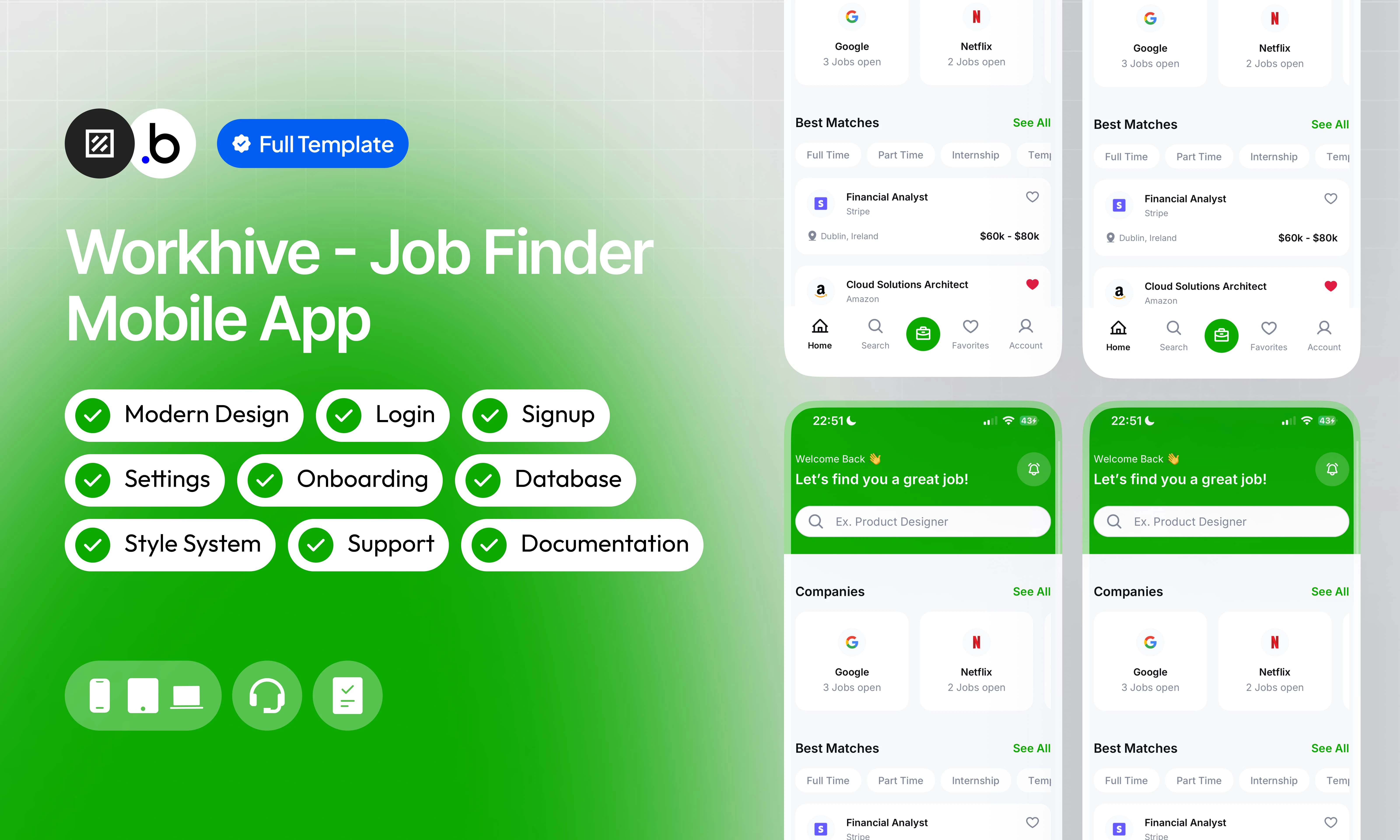
Built for developers and teams who want to skip the boilerplate and focus on what makes their app unique. This template delivers a complete mobile app foundation: a sleek, modern UI that feels native and professional, a well-organized database structure ready to grow with you, and a fully functional app, not just static screens.
It also includes a smooth onboarding process that guides your users from first open to their first key action, thorough documentation so you can customize everything with confidence, and reactive support whenever you need a hand. Whether you're shipping an MVP or building the foundation for something bigger, this template gives you a serious head start.
## Functionalities
Complete authentication system with email and social login, password recovery, and session management built right in.
A well-thought-out database schema that keeps your data clean, consistent, and ready to scale as your user base grows.
A sleek, intuitive interface designed with attention to detail, delivering a smooth and professional native experience on every screen.
Powerful search and filtering tools that let users quickly find exactly what they're looking for, no matter how much content you have.
A fully built settings screen where users can manage their profile, update preferences, and control notifications with ease.
A dedicated support team that responds quickly and helps you solve issues so you can keep building without losing momentum.
## Views
The first screen users see when opening the app. Displays the logo on a vibrant green background with a smooth loading animation lasting three seconds before transitioning to the next screen.
A simple input screen where users can write a short bio or description about themselves, helping build a more complete and personalized profile.
An informational screen that gathers all important links in one place, including terms of use, the official website, social media accounts, and other relevant resources.
The main settings hub where users can navigate to key sections like their profile, payment account, support center, and other account-related options.
A dedicated security screen where users can update their password, enable or disable Face ID, and manage other authentication preferences to keep their account safe.
A structured application form that lets users submit their candidacy for a job offer, with all the required fields to complete the process smoothly.
A confirmation screen displayed after a job application has been successfully submitted, reassuring the user that everything went through.
A detailed company view showing all relevant information about a business, including its description, industry, location, and any other available details.
A form screen where users can add their educational background, including degrees, institutions, and graduation dates, to strengthen their profile.
A dedicated list of all job offers the user has saved as favorites, making it easy to revisit and compare opportunities at any time.
A recovery screen where users can enter the email associated with their account to receive a password reset link and regain access.
The welcome screen presented to new users, featuring clear action buttons to sign up, log in, or explore other entry points into the app.
The main screen of the app, serving as the central hub where users can browse featured job offers, explore categories, and access key features at a glance.
A complete overview of all the user's submitted applications, organized by status such as pending, under verification, accepted, and more for easy tracking.
A full detail view of a specific job offer, displaying all relevant information including role description, requirements, salary, location, and company details.
A settings screen where users can choose their preferred language for the entire app, with a clear list of all available options.
The sign-in screen where returning users can enter their credentials to securely access their account and pick up where they left off.
The first step of the onboarding experience, introducing users to a key feature or concept of the app through a clear and engaging visual explanation.
The second onboarding step, continuing to walk users through the app's core value and how it can help them in their job search journey.
The final onboarding step, wrapping up the introduction and encouraging users to get started with the app right away.
A screen where users can connect and manage their preferred payment providers such as PayPal, Apple Pay, and Google Pay for a seamless payment experience.
A form that allows users to update their personal information including name, phone number, address, and other key details tied to their profile.
A dedicated screen displaying the full privacy policy of the app, ensuring transparency about how user data is collected, used, and protected.
The user's complete profile page, showcasing their photo, personal data, education, bio, and all other information they've added throughout the app.
A settings screen where users can customize their notification preferences, choosing which alerts they want to receive and which ones to mute.
The account creation screen where new users can sign up by entering their details and setting up their credentials to start using the app.
A secure form where users can set a new password after requesting a reset, helping them regain full access to their account.
A search screen that lets users look up companies by name, making it easy to find and explore specific businesses and their available job offers.
A powerful search screen where users can find job offers by name and refine results using multiple filters like location, category, salary range, and more.
The first step of the account setup process after registration, asking users to select their country from a comprehensive list to personalize their experience.
The second setup step, where users choose their professional field from a wide range of options such as IT, Sales, Marketing, Design, and many more.
The final setup step, presenting a form where users fill in their personal data to complete their profile and get the most relevant job recommendations.
A help section featuring a list of frequently asked questions, giving users quick answers to common issues without needing to contact support directly.
## Workflows
This structure uses folders and colors to organize workflows clearly, improve readability, and ensure consistent logic management across the application.
In Bubble, workflows define how an application behaves. They are triggered by events and run actions that manage data, navigation, and user interactions.
### Folders
Folders are structured by functional category, with each folder grouping workflows related to a specific domain of the application. This approach ensures that every type of logic has its dedicated space, making the overall workflow architecture clearer, more organized, and easier to maintain.
This folder contains workflows responsible for creating, updating, deleting, and managing data within the application. It centralizes all logic that interacts directly with the database to ensure structured and consistent data handling.
This folder groups workflows that control page transitions, redirects, and user journeys. It defines how users move through the application and ensures a clear and predictable flow.
This folder includes workflows that depend on external plugins or third party integrations. It isolates plugin related logic to keep the core application structure clean and organized.
This folder contains workflows that affect the user interface, such as showing or hiding elements, triggering animations, or dynamically updating what the user sees. It manages front end behavior without altering stored data.
This folder groups workflows that manage temporary front end data stored in custom states. It is used to control dynamic interactions and interface logic without impacting the database.
Custom states are variables that you can save on any element on the page, including the page itself. They let you store data temporarily that is reset when the page is reloaded. This is useful when you need your app to remember some information that you don’t need to store permanently in the database.
This folder includes workflows dedicated to sending automated or transactional emails. It centralizes communication logic to ensure consistency and easier maintenance.
This folder contains workflows that handle external API calls and data exchanges with outside services. It organizes integration logic and keeps external communication clearly separated from internal processes.
### Colors
Colors are used as visual indicators to distinguish workflow types and intentions. Each color corresponds to a specific category of action, allowing quick recognition of the workflow’s purpose and improving readability across the entire logic structure.
Blue is used for workflows involving navigation, such as redirects to other pages or links.
Green indicates workflows involving the database, such as creating or updating data in the database or the registration/connection system.
Red indicates workflows that have an impact on deleting data or resetting values.
Orange is reserved for visual elements, such as showing or disappearing pop-ups, floating groups, and other such interactive elements.
This color is reserved for elements related to APIs and Plugins.
The Cyan color indicates specific interactions triggered by custom events or custom states.
Brown is use for email send
## Datatypes
The database consists of different **data types** that you as the developer plan and set up. Data types are like containers that hold specific types of information and each data type is made up of **fields** where that information is stored.
### Application
| Field Name | Type | Note |
| ------------------- | ---------------------------------- | ------------------------------------------------------------------------------------------------------------------- |
| cover\_letter\_text | `text` | The text content of the applicant's cover letter submitted with the application. |
| email | `text` | The email address provided by the applicant for this specific application. |
| first\_name | `text` | The applicant's first name as entered in the application form. |
| job | `Job` | A reference to the Job entry this application is linked to. |
| last\_name | `text` | The applicant's last name as entered in the application form. |
| phone\_number | `number` | The phone number provided by the applicant for contact purposes. |
| resume | `file` | The uploaded resume or CV file attached to the application. |
| status | `Application Status (Option Sets)` | The current status of the application, based on the Application Status option set (e.g. Pending, Review, Accepted). |
### Company
| Field Name | Type | Note |
| ------------ | ---------------- | ----------------------------------------------------------------------------- |
| description | `text` | A text description of the company, its activity, and its mission. |
| gallery | `List of images` | A list of images showcasing the company's offices, team, or work environment. |
| location | `text` | The main geographical location or headquarters of the company. |
| logo | `image` | The company's logo displayed across the app. |
| name | `text` | The official name of the company. |
| website\_url | `text` | The URL of the company's official website. |
### Company Benefits
| Field Name | Type | Note |
| ---------- | --------------- | ------------------------------------------------------------------------------------------------------------------ |
| benefits | `List of texts` | A list of text entries describing individual benefits offered by the company (e.g. remote work, health insurance). |
| company | `Company` | A reference to the Company this set of benefits belongs to. |
| title | `text` | The title or category label for this group of benefits (e.g. Health, Work-Life Balance). |
### Job
| Field Name | Type | Note |
| ------------------------ | -------------------------------- | --------------------------------------------------------------------------------------------------------------- |
| additional\_informations | `text` | Any extra details about the job not covered by other fields. |
| address | `text` | The physical or remote location where the job is based. |
| category | `Job Category (Option Sets)` | The professional category of the job, based on the Job Category option set (e.g. IT, Marketing, Sales). |
| company | `Company` | A reference to the Company that posted this job offer. |
| contract | `Contract Type (Option Sets)` | The type of contract offered, based on the Contract Type option set (e.g. Full Time, Freelance). |
| description | `text` | A detailed text describing the role, responsibilities, and expectations. |
| level | `Experience Level (Option Sets)` | The required experience level for the position, based on the Experience Level option set (e.g. Junior, Senior). |
| max\_salary | `number` | The upper limit of the salary range offered for this position. |
| min\_salary | `number` | The lower limit of the salary range offered for this position. |
| qualifications | `List of texts` | A list of required or preferred qualifications for the role. |
| title | `text` | The job title displayed in listings and detail views (e.g. Product Designer, Backend Developer). |
### User
| Field Name | Type | Note |
| ------------------- | ------------------------------------------ | ------------------------------------------------------------------------------------------------------ |
| about\_me | `text` | A short bio or personal description written by the user. |
| address | `text` | The user's current residential address. |
| biometric\_id | `yes/no` | Indicates whether the user has enabled biometric authentication (e.g. fingerprint). |
| country | `text` | The country the user selected during the account setup process. |
| date\_of\_birth | `date` | The user's date of birth, used for profile completion. |
| expertise | `List of Job Categorys (Option Sets)` | A list of professional fields the user identifies with, based on the Job Category option set. |
| face\_id | `yes/no` | Indicates whether the user has enabled Face ID authentication. |
| favorite\_jobs | `List of Jobs` | A list of Job entries the user has saved as favorites for quick access. |
| first\_name | `text` | The user's first name as entered during registration or profile setup. |
| gender | `Gender (Option Sets)` | The user's gender, based on the Gender option set. |
| language | `Languages (Option Sets)` | The user's preferred app language, based on the Languages option set. |
| last\_name | `text` | The user's last name as entered during registration or profile setup. |
| phone\_number | `number` | The user's phone number for contact and profile purposes. |
| profile\_picture | `image` | The user's uploaded profile photo displayed across the app. |
| push\_notifications | `List of Push Notifications (Option Sets)` | A list of notification categories the user has opted into, based on the Push Notifications option set. |
| remember\_me | `yes/no` | Indicates whether the user chose to stay logged in between sessions. |
| role | `Role (Option Sets)` | The user's role within the app, based on the Role option set (e.g. Applicant, Company, Admin). |
| email | `text` | The user's email address used for authentication and communication. |
### User Education
| Field Name | Type | Note |
| ---------------- | -------------------------------- | ------------------------------------------------------------------------------------------------------- |
| department | `Job Category (Option Sets)` | The field of study or department, based on the Job Category option set. |
| description | `text` | A short description of the program, coursework, or achievements during this education. |
| end\_of\_study | `date` | The date the user completed or expects to complete this education. |
| level | `Education Level (Option Sets)` | The academic level of the degree, based on the Education Level option set (e.g. Bachelor, Master). |
| location | `text` | The city or country where the institution is located. |
| school\_name | `text` | The name of the school, university, or institution attended. |
| start\_of\_study | `date` | The date the user began this education. |
| status | `Education Status (Option Sets)` | The current status of the education, based on the Education Status option set (e.g. Finished, Pending). |
### User Work Experience
| Field Name | Type | Note |
| ---------------- | ----------------------------- | ------------------------------------------------------------------------------ |
| company\_name | `text` | The name of the company where the user worked. |
| contract\_type | `Contract Type (Option Sets)` | The type of contract for this position, based on the Contract Type option set. |
| field\_of\_work | `text` | The general industry or field related to this work experience. |
| job\_description | `text` | A text describing the user's responsibilities and achievements in this role. |
| job\_name | `text` | The job title held by the user at this company. |
## Option Sets
This section covers option sets, used to store a static list of options in a database-like structure
Option sets let you set up different types of static options in a database-like structure, but without using the database. This is useful to store information like days of the week, marital status, colors, states, countries and other data that you want to load quickly and that’s rarely updated.
### Applications Status
A predefined set of statuses used to track the progress of a job application throughout the hiring process, from submission to final decision.
| Attributes | Type | Note |
| ---------------- | ------ | -------------------------------------------------------------------------------------------------------------------------- |
| Background Color | `text` | The background color code used to visually distinguish this status in the UI (e.g. a soft colored badge behind the label). |
| Main Color | `text` | The primary color code used for the status label text or icon, ensuring clear visual contrast with the background. |
| Display | `text` | The human-readable label shown to the user in the interface (e.g. "Pending", "Accepted"). |
* Pending
* Review
* Interview
* Accepted
* Rejected
### Contract Type
A list of employment contract formats used to classify job offers by their working arrangement and duration.
| Attributes | Type | Note |
| ---------- | ------ | ------------------------------------------------------------------------------------------- |
| Display | `text` | The human-readable label shown in job listings and filters (e.g. "Full Time", "Freelance"). |
* Full Time
* Part Time
* Internship
* Temporary
* Seasonal
* Freelance
### Education Level
A set of academic degree levels used to classify the user's educational background on their profile.
| Attributes | Type | Note |
| ---------- | ------ | ----------------------------------------------------------------------------------- |
| Display | `text` | The human-readable label representing the degree level (e.g. "Bachelor", "Master"). |
* High School
* Associate
* Bachelor
* Master
* Doctorate
### Education Status
A set of statuses indicating the current state of a user's education entry, whether completed, ongoing, or stopped.
| Attributes | Type | Note |
| ---------- | ------ | ------------------------------------------------------------------------------------------ |
| Display | `text` | The human-readable label shown on the user's education entry (e.g. "Finished", "Pending"). |
* Pending
* Finished
* Discontinued
### Experience Level
A set of seniority levels used to define the professional experience required for a job offer.
| Attributes | Type | Note |
| ---------- | ------ | ------------------------------------------------------------------------------------- |
| Display | `text` | The human-readable label shown in job listings and filters (e.g. "Junior", "Senior"). |
* Junior
* Senior
* Lead
* Manager
### Gender
A set of gender options available for the user to select when completing their personal profile.
| Attributes | Type | Note |
| ---------- | ------ | --------------------------------------------------------------------------- |
| Display | `text` | The human-readable label shown in the profile form (e.g. "Male", "Female"). |
* Male
* Female
### Job Category
A comprehensive list of professional fields used to classify job offers and define user expertise areas throughout the app.
| Attributes | Type | Note |
| ---------- | ------ | ---------------------------------------------------------------------------------------------------- |
| Display | `text` | The human-readable label shown in job listings, filters, and profile setup (e.g. "IT", "Marketing"). |
* Accounting
* Designer
* Legal
* Finance
* Sales
* Engineering
* Architecture
* Consultancy
* Management
* Customer Service
* Public Service
* IT
* Writing
* Security
* Marketing
* Programmer
### Languages
A list of supported languages the user can choose from to set their preferred language for the entire app interface.
| Attributes | Type | Note |
| ---------- | ------ | ----------------------------------------------------------------------------------- |
| Display | `text` | The human-readable label representing the language name (e.g. "English", "French"). |
* English
* Spanish
* French
* Portuguese
* Arabic
* German
* Chinese
* Japanese
* Italian
* Russian
* Turkish
### Location
A list of countries used during the account setup process, allowing users to select their country of origin or residence.
| Attributes | Type | Note |
| ---------- | ------- | ----------------------------------------------------------------------------------- |
| Flag | `image` | The country's flag icon displayed alongside the country name in the selection list. |
| Display | `text` | The human-readable label representing the country name (e.g. "France", "Japan"). |
* Spain
* France
* United States
* United Kingdom
* Japan
* Brazil
* China
* Germany
* Italy
* Canada
* South Africa
* India
* Denmark
* Portugal
### Push Notifications
A set of notification categories that users can individually enable or disable to control what alerts they receive from the app.
| Attributes | Type | Note |
| ---------- | ------ | ---------------------------------------------------------------------------------------------------- |
| Display | `text` | The human-readable label shown in the notification settings screen (e.g. "Payments", "App Updates"). |
* Notifications
* Payments
* Sound
* Vibrate
* Special Offers
* Cashback
* App Updates
### Role
A set of user roles used to define access levels and permissions within the app, determining what each user can see and do.
| Attributes | Type | Note |
| ---------- | ------ | ------------------------------------------------------------------------------------------- |
| Display | `text` | The human-readable label representing the role type (e.g. "Applicant", "Company", "Admin"). |
* Applicant
* Company
* Admin
### Support Center
A predefined list of frequently asked questions and their answers, displayed in the support section to help users find quick solutions.
| Attributes | Type | Note |
| ---------- | ------ | ------------------------------------------------------------------------------------------ |
| Answer | `text` | The detailed answer or explanation provided in response to the corresponding question. |
| Display | `text` | The question text displayed to the user in the FAQ list (e.g. "Is the application free?"). |
* What is this application?
* Is the application free?
* Are my personal data protected?
* How can I change my personal information?
* I encounter a bug, what to do?
## Refund Policy
This policy defines the conditions under which refunds may be requested for our products. It distinguishes between templates distributed through the Bubble Marketplace and the Brikl Chrome Extension, specifying the applicable deadlines, eligibility requirements, and usage-related limitations for each.
## Support
Your satisfaction is our priority. Do not hesitate to contact us if you have any questions or problems.
[support@brikl.co](mailto:support@brikl.co)
[https://www.brikl.co/](https://www.brikl.co/)
## Overview
Built for developers and teams who want to skip the boilerplate and focus on what makes their app unique. This template delivers a complete mobile app foundation: a sleek, modern UI that feels native and professional, a well-organized database structure ready to grow with you, and a fully functional app, not just static screens.
It also includes a smooth onboarding process that guides your users from first open to their first key action, thorough documentation so you can customize everything with confidence, and reactive support whenever you need a hand. Whether you're shipping an MVP or building the foundation for something bigger, this template gives you a serious head start.
## Functionalities
Complete authentication system with email and social login, password recovery, and session management built right in.
A well-thought-out database schema that keeps your data clean, consistent, and ready to scale as your user base grows.
A sleek, intuitive interface designed with attention to detail, delivering a smooth and professional native experience on every screen.
Powerful search and filtering tools that let users quickly find exactly what they're looking for, no matter how much content you have.
A fully built settings screen where users can manage their profile, update preferences, and control notifications with ease.
A dedicated support team that responds quickly and helps you solve issues so you can keep building without losing momentum.
## Views
The first screen users see when opening the app. Displays the logo on a vibrant green background with a smooth loading animation lasting three seconds before transitioning to the next screen.
A simple input screen where users can write a short bio or description about themselves, helping build a more complete and personalized profile.
An informational screen that gathers all important links in one place, including terms of use, the official website, social media accounts, and other relevant resources.
The main settings hub where users can navigate to key sections like their profile, payment account, support center, and other account-related options.
A dedicated security screen where users can update their password, enable or disable Face ID, and manage other authentication preferences to keep their account safe.
A structured application form that lets users submit their candidacy for a job offer, with all the required fields to complete the process smoothly.
A confirmation screen displayed after a job application has been successfully submitted, reassuring the user that everything went through.
A detailed company view showing all relevant information about a business, including its description, industry, location, and any other available details.
A form screen where users can add their educational background, including degrees, institutions, and graduation dates, to strengthen their profile.
A dedicated list of all job offers the user has saved as favorites, making it easy to revisit and compare opportunities at any time.
A recovery screen where users can enter the email associated with their account to receive a password reset link and regain access.
The welcome screen presented to new users, featuring clear action buttons to sign up, log in, or explore other entry points into the app.
The main screen of the app, serving as the central hub where users can browse featured job offers, explore categories, and access key features at a glance.
A complete overview of all the user's submitted applications, organized by status such as pending, under verification, accepted, and more for easy tracking.
A full detail view of a specific job offer, displaying all relevant information including role description, requirements, salary, location, and company details.
A settings screen where users can choose their preferred language for the entire app, with a clear list of all available options.
The sign-in screen where returning users can enter their credentials to securely access their account and pick up where they left off.
The first step of the onboarding experience, introducing users to a key feature or concept of the app through a clear and engaging visual explanation.
The second onboarding step, continuing to walk users through the app's core value and how it can help them in their job search journey.
The final onboarding step, wrapping up the introduction and encouraging users to get started with the app right away.
A screen where users can connect and manage their preferred payment providers such as PayPal, Apple Pay, and Google Pay for a seamless payment experience.
A form that allows users to update their personal information including name, phone number, address, and other key details tied to their profile.
A dedicated screen displaying the full privacy policy of the app, ensuring transparency about how user data is collected, used, and protected.
The user's complete profile page, showcasing their photo, personal data, education, bio, and all other information they've added throughout the app.
A settings screen where users can customize their notification preferences, choosing which alerts they want to receive and which ones to mute.
The account creation screen where new users can sign up by entering their details and setting up their credentials to start using the app.
A secure form where users can set a new password after requesting a reset, helping them regain full access to their account.
A search screen that lets users look up companies by name, making it easy to find and explore specific businesses and their available job offers.
A powerful search screen where users can find job offers by name and refine results using multiple filters like location, category, salary range, and more.
The first step of the account setup process after registration, asking users to select their country from a comprehensive list to personalize their experience.
The second setup step, where users choose their professional field from a wide range of options such as IT, Sales, Marketing, Design, and many more.
The final setup step, presenting a form where users fill in their personal data to complete their profile and get the most relevant job recommendations.
A help section featuring a list of frequently asked questions, giving users quick answers to common issues without needing to contact support directly.
## Workflows
This structure uses folders and colors to organize workflows clearly, improve readability, and ensure consistent logic management across the application.
In Bubble, workflows define how an application behaves. They are triggered by events and run actions that manage data, navigation, and user interactions.
### Folders
Folders are structured by functional category, with each folder grouping workflows related to a specific domain of the application. This approach ensures that every type of logic has its dedicated space, making the overall workflow architecture clearer, more organized, and easier to maintain.
This folder contains workflows responsible for creating, updating, deleting, and managing data within the application. It centralizes all logic that interacts directly with the database to ensure structured and consistent data handling.
This folder groups workflows that control page transitions, redirects, and user journeys. It defines how users move through the application and ensures a clear and predictable flow.
This folder includes workflows that depend on external plugins or third party integrations. It isolates plugin related logic to keep the core application structure clean and organized.
This folder contains workflows that affect the user interface, such as showing or hiding elements, triggering animations, or dynamically updating what the user sees. It manages front end behavior without altering stored data.
This folder groups workflows that manage temporary front end data stored in custom states. It is used to control dynamic interactions and interface logic without impacting the database.
Custom states are variables that you can save on any element on the page, including the page itself. They let you store data temporarily that is reset when the page is reloaded. This is useful when you need your app to remember some information that you don’t need to store permanently in the database.
This folder includes workflows dedicated to sending automated or transactional emails. It centralizes communication logic to ensure consistency and easier maintenance.
This folder contains workflows that handle external API calls and data exchanges with outside services. It organizes integration logic and keeps external communication clearly separated from internal processes.
### Colors
Colors are used as visual indicators to distinguish workflow types and intentions. Each color corresponds to a specific category of action, allowing quick recognition of the workflow’s purpose and improving readability across the entire logic structure.
Blue is used for workflows involving navigation, such as redirects to other pages or links.
Green indicates workflows involving the database, such as creating or updating data in the database or the registration/connection system.
Red indicates workflows that have an impact on deleting data or resetting values.
Orange is reserved for visual elements, such as showing or disappearing pop-ups, floating groups, and other such interactive elements.
This color is reserved for elements related to APIs and Plugins.
The Cyan color indicates specific interactions triggered by custom events or custom states.
Brown is use for email send
## Datatypes
The database consists of different **data types** that you as the developer plan and set up. Data types are like containers that hold specific types of information and each data type is made up of **fields** where that information is stored.
### Application
| Field Name | Type | Note |
| ------------------- | ---------------------------------- | ------------------------------------------------------------------------------------------------------------------- |
| cover\_letter\_text | `text` | The text content of the applicant's cover letter submitted with the application. |
| email | `text` | The email address provided by the applicant for this specific application. |
| first\_name | `text` | The applicant's first name as entered in the application form. |
| job | `Job` | A reference to the Job entry this application is linked to. |
| last\_name | `text` | The applicant's last name as entered in the application form. |
| phone\_number | `number` | The phone number provided by the applicant for contact purposes. |
| resume | `file` | The uploaded resume or CV file attached to the application. |
| status | `Application Status (Option Sets)` | The current status of the application, based on the Application Status option set (e.g. Pending, Review, Accepted). |
### Company
| Field Name | Type | Note |
| ------------ | ---------------- | ----------------------------------------------------------------------------- |
| description | `text` | A text description of the company, its activity, and its mission. |
| gallery | `List of images` | A list of images showcasing the company's offices, team, or work environment. |
| location | `text` | The main geographical location or headquarters of the company. |
| logo | `image` | The company's logo displayed across the app. |
| name | `text` | The official name of the company. |
| website\_url | `text` | The URL of the company's official website. |
### Company Benefits
| Field Name | Type | Note |
| ---------- | --------------- | ------------------------------------------------------------------------------------------------------------------ |
| benefits | `List of texts` | A list of text entries describing individual benefits offered by the company (e.g. remote work, health insurance). |
| company | `Company` | A reference to the Company this set of benefits belongs to. |
| title | `text` | The title or category label for this group of benefits (e.g. Health, Work-Life Balance). |
### Job
| Field Name | Type | Note |
| ------------------------ | -------------------------------- | --------------------------------------------------------------------------------------------------------------- |
| additional\_informations | `text` | Any extra details about the job not covered by other fields. |
| address | `text` | The physical or remote location where the job is based. |
| category | `Job Category (Option Sets)` | The professional category of the job, based on the Job Category option set (e.g. IT, Marketing, Sales). |
| company | `Company` | A reference to the Company that posted this job offer. |
| contract | `Contract Type (Option Sets)` | The type of contract offered, based on the Contract Type option set (e.g. Full Time, Freelance). |
| description | `text` | A detailed text describing the role, responsibilities, and expectations. |
| level | `Experience Level (Option Sets)` | The required experience level for the position, based on the Experience Level option set (e.g. Junior, Senior). |
| max\_salary | `number` | The upper limit of the salary range offered for this position. |
| min\_salary | `number` | The lower limit of the salary range offered for this position. |
| qualifications | `List of texts` | A list of required or preferred qualifications for the role. |
| title | `text` | The job title displayed in listings and detail views (e.g. Product Designer, Backend Developer). |
### User
| Field Name | Type | Note |
| ------------------- | ------------------------------------------ | ------------------------------------------------------------------------------------------------------ |
| about\_me | `text` | A short bio or personal description written by the user. |
| address | `text` | The user's current residential address. |
| biometric\_id | `yes/no` | Indicates whether the user has enabled biometric authentication (e.g. fingerprint). |
| country | `text` | The country the user selected during the account setup process. |
| date\_of\_birth | `date` | The user's date of birth, used for profile completion. |
| expertise | `List of Job Categorys (Option Sets)` | A list of professional fields the user identifies with, based on the Job Category option set. |
| face\_id | `yes/no` | Indicates whether the user has enabled Face ID authentication. |
| favorite\_jobs | `List of Jobs` | A list of Job entries the user has saved as favorites for quick access. |
| first\_name | `text` | The user's first name as entered during registration or profile setup. |
| gender | `Gender (Option Sets)` | The user's gender, based on the Gender option set. |
| language | `Languages (Option Sets)` | The user's preferred app language, based on the Languages option set. |
| last\_name | `text` | The user's last name as entered during registration or profile setup. |
| phone\_number | `number` | The user's phone number for contact and profile purposes. |
| profile\_picture | `image` | The user's uploaded profile photo displayed across the app. |
| push\_notifications | `List of Push Notifications (Option Sets)` | A list of notification categories the user has opted into, based on the Push Notifications option set. |
| remember\_me | `yes/no` | Indicates whether the user chose to stay logged in between sessions. |
| role | `Role (Option Sets)` | The user's role within the app, based on the Role option set (e.g. Applicant, Company, Admin). |
| email | `text` | The user's email address used for authentication and communication. |
### User Education
| Field Name | Type | Note |
| ---------------- | -------------------------------- | ------------------------------------------------------------------------------------------------------- |
| department | `Job Category (Option Sets)` | The field of study or department, based on the Job Category option set. |
| description | `text` | A short description of the program, coursework, or achievements during this education. |
| end\_of\_study | `date` | The date the user completed or expects to complete this education. |
| level | `Education Level (Option Sets)` | The academic level of the degree, based on the Education Level option set (e.g. Bachelor, Master). |
| location | `text` | The city or country where the institution is located. |
| school\_name | `text` | The name of the school, university, or institution attended. |
| start\_of\_study | `date` | The date the user began this education. |
| status | `Education Status (Option Sets)` | The current status of the education, based on the Education Status option set (e.g. Finished, Pending). |
### User Work Experience
| Field Name | Type | Note |
| ---------------- | ----------------------------- | ------------------------------------------------------------------------------ |
| company\_name | `text` | The name of the company where the user worked. |
| contract\_type | `Contract Type (Option Sets)` | The type of contract for this position, based on the Contract Type option set. |
| field\_of\_work | `text` | The general industry or field related to this work experience. |
| job\_description | `text` | A text describing the user's responsibilities and achievements in this role. |
| job\_name | `text` | The job title held by the user at this company. |
## Option Sets
This section covers option sets, used to store a static list of options in a database-like structure
Option sets let you set up different types of static options in a database-like structure, but without using the database. This is useful to store information like days of the week, marital status, colors, states, countries and other data that you want to load quickly and that’s rarely updated.
### Applications Status
A predefined set of statuses used to track the progress of a job application throughout the hiring process, from submission to final decision.
| Attributes | Type | Note |
| ---------------- | ------ | -------------------------------------------------------------------------------------------------------------------------- |
| Background Color | `text` | The background color code used to visually distinguish this status in the UI (e.g. a soft colored badge behind the label). |
| Main Color | `text` | The primary color code used for the status label text or icon, ensuring clear visual contrast with the background. |
| Display | `text` | The human-readable label shown to the user in the interface (e.g. "Pending", "Accepted"). |
* Pending
* Review
* Interview
* Accepted
* Rejected
### Contract Type
A list of employment contract formats used to classify job offers by their working arrangement and duration.
| Attributes | Type | Note |
| ---------- | ------ | ------------------------------------------------------------------------------------------- |
| Display | `text` | The human-readable label shown in job listings and filters (e.g. "Full Time", "Freelance"). |
* Full Time
* Part Time
* Internship
* Temporary
* Seasonal
* Freelance
### Education Level
A set of academic degree levels used to classify the user's educational background on their profile.
| Attributes | Type | Note |
| ---------- | ------ | ----------------------------------------------------------------------------------- |
| Display | `text` | The human-readable label representing the degree level (e.g. "Bachelor", "Master"). |
* High School
* Associate
* Bachelor
* Master
* Doctorate
### Education Status
A set of statuses indicating the current state of a user's education entry, whether completed, ongoing, or stopped.
| Attributes | Type | Note |
| ---------- | ------ | ------------------------------------------------------------------------------------------ |
| Display | `text` | The human-readable label shown on the user's education entry (e.g. "Finished", "Pending"). |
* Pending
* Finished
* Discontinued
### Experience Level
A set of seniority levels used to define the professional experience required for a job offer.
| Attributes | Type | Note |
| ---------- | ------ | ------------------------------------------------------------------------------------- |
| Display | `text` | The human-readable label shown in job listings and filters (e.g. "Junior", "Senior"). |
* Junior
* Senior
* Lead
* Manager
### Gender
A set of gender options available for the user to select when completing their personal profile.
| Attributes | Type | Note |
| ---------- | ------ | --------------------------------------------------------------------------- |
| Display | `text` | The human-readable label shown in the profile form (e.g. "Male", "Female"). |
* Male
* Female
### Job Category
A comprehensive list of professional fields used to classify job offers and define user expertise areas throughout the app.
| Attributes | Type | Note |
| ---------- | ------ | ---------------------------------------------------------------------------------------------------- |
| Display | `text` | The human-readable label shown in job listings, filters, and profile setup (e.g. "IT", "Marketing"). |
* Accounting
* Designer
* Legal
* Finance
* Sales
* Engineering
* Architecture
* Consultancy
* Management
* Customer Service
* Public Service
* IT
* Writing
* Security
* Marketing
* Programmer
### Languages
A list of supported languages the user can choose from to set their preferred language for the entire app interface.
| Attributes | Type | Note |
| ---------- | ------ | ----------------------------------------------------------------------------------- |
| Display | `text` | The human-readable label representing the language name (e.g. "English", "French"). |
* English
* Spanish
* French
* Portuguese
* Arabic
* German
* Chinese
* Japanese
* Italian
* Russian
* Turkish
### Location
A list of countries used during the account setup process, allowing users to select their country of origin or residence.
| Attributes | Type | Note |
| ---------- | ------- | ----------------------------------------------------------------------------------- |
| Flag | `image` | The country's flag icon displayed alongside the country name in the selection list. |
| Display | `text` | The human-readable label representing the country name (e.g. "France", "Japan"). |
* Spain
* France
* United States
* United Kingdom
* Japan
* Brazil
* China
* Germany
* Italy
* Canada
* South Africa
* India
* Denmark
* Portugal
### Push Notifications
A set of notification categories that users can individually enable or disable to control what alerts they receive from the app.
| Attributes | Type | Note |
| ---------- | ------ | ---------------------------------------------------------------------------------------------------- |
| Display | `text` | The human-readable label shown in the notification settings screen (e.g. "Payments", "App Updates"). |
* Notifications
* Payments
* Sound
* Vibrate
* Special Offers
* Cashback
* App Updates
### Role
A set of user roles used to define access levels and permissions within the app, determining what each user can see and do.
| Attributes | Type | Note |
| ---------- | ------ | ------------------------------------------------------------------------------------------- |
| Display | `text` | The human-readable label representing the role type (e.g. "Applicant", "Company", "Admin"). |
* Applicant
* Company
* Admin
### Support Center
A predefined list of frequently asked questions and their answers, displayed in the support section to help users find quick solutions.
| Attributes | Type | Note |
| ---------- | ------ | ------------------------------------------------------------------------------------------ |
| Answer | `text` | The detailed answer or explanation provided in response to the corresponding question. |
| Display | `text` | The question text displayed to the user in the FAQ list (e.g. "Is the application free?"). |
* What is this application?
* Is the application free?
* Are my personal data protected?
* How can I change my personal information?
* I encounter a bug, what to do?
## Refund Policy
This policy defines the conditions under which refunds may be requested for our products. It distinguishes between templates distributed through the Bubble Marketplace and the Brikl Chrome Extension, specifying the applicable deadlines, eligibility requirements, and usage-related limitations for each.
## Support
Your satisfaction is our priority. Do not hesitate to contact us if you have any questions or problems.
[support@brikl.co](mailto:support@brikl.co)
[https://www.brikl.co/](https://www.brikl.co/)