
Documentation Index

Fetch the complete documentation index at: https://docs.brikl.co/llms.txt

Use this file to discover all available pages before exploring further.

Stepper 11

Overview

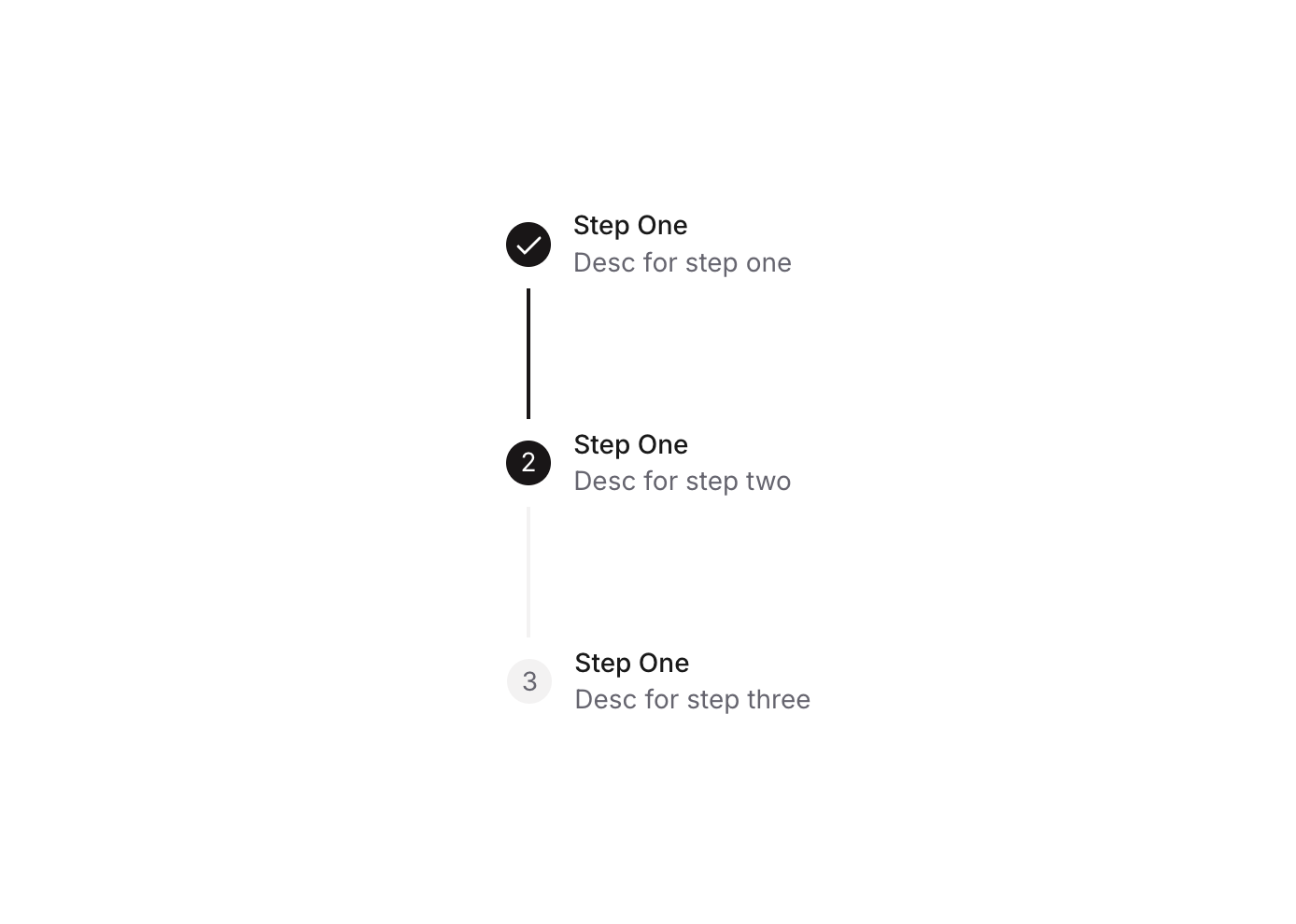
Stepper 11 is a multi-step progress indicator component designed for guiding users through sequential steps. It displays up to three steps, each with a numbered circle (or a checkmark icon when completed), a connecting line between steps, and optional title and description labels. The active and completed states are visually distinguished through background color changes, making it easy for users to track their progress in forms, onboarding flows, or wizards.

How to use

1

Open the Brikl panel

Navigate to the Elements category in the Brikl panel.
2

Copy the component

Find Stepper 11 and click Copy.
3

Paste into your editor

Paste it into your Bubble canvas with Cmd + V (Mac) or Ctrl + V (Windows), or right-click on the canvas and select Paste.

States

This component includes conditional states that automatically change its appearance.
StateTriggerVisual effect
Step ActiveCustom state ‘step_’ on the parent group equals the step numberThe step circle background changes to dark (rgba(27,23,24,1)) and the step number text turns white
Step CompletedCustom state ‘step_’ on the parent group is greater than the step numberThe step circle background turns dark, the number text is hidden, and a white checkmark icon becomes visible
Connecting Line ActiveCustom state ‘step_’ is greater than the associated step numberThe shape connector line changes from light grey (rgba(245,244,244,1)) to dark (rgba(27,23,24,1))
Labels Hidden on MobileCurrent page width is less than or equal to the built-in mobile breakpointThe title and description label group for each step is hidden to save space on small screens
These states are handled natively by Bubble and require no additional setup. They will work automatically once the component is pasted into your editor.

Responsive

This component adapts to mobile screens. Font sizes and layout automatically adjust on screens smaller than Bubble’s built-in mobile breakpoint.

Workflows

This component includes pre-built workflows.
TriggerAction
BT - Step 01 - Stepper 11 is clickedSets the custom state ‘step_’ on the parent group (bTQCw) to value 1
BT - Step 02 - Stepper 11 is clickedSets the custom state ‘step_’ on the parent group (bTQCw) to value 2
BT - Step 03 - Stepper 11 is clickedSets the custom state ‘step_’ on the parent group (bTQCw) to value 3
These workflows are included when you use the Copy with Workflows option in the Brikl panel.

Requirements

LicenseStarter plan required
PluginsNone
Custom codeNot required

Platforms

PlatformSupported
Web
Mobile

License

This component requires a Starter plan.