
Documentation Index

Fetch the complete documentation index at: https://docs.brikl.co/llms.txt

Use this file to discover all available pages before exploring further.

Team 02

Overview

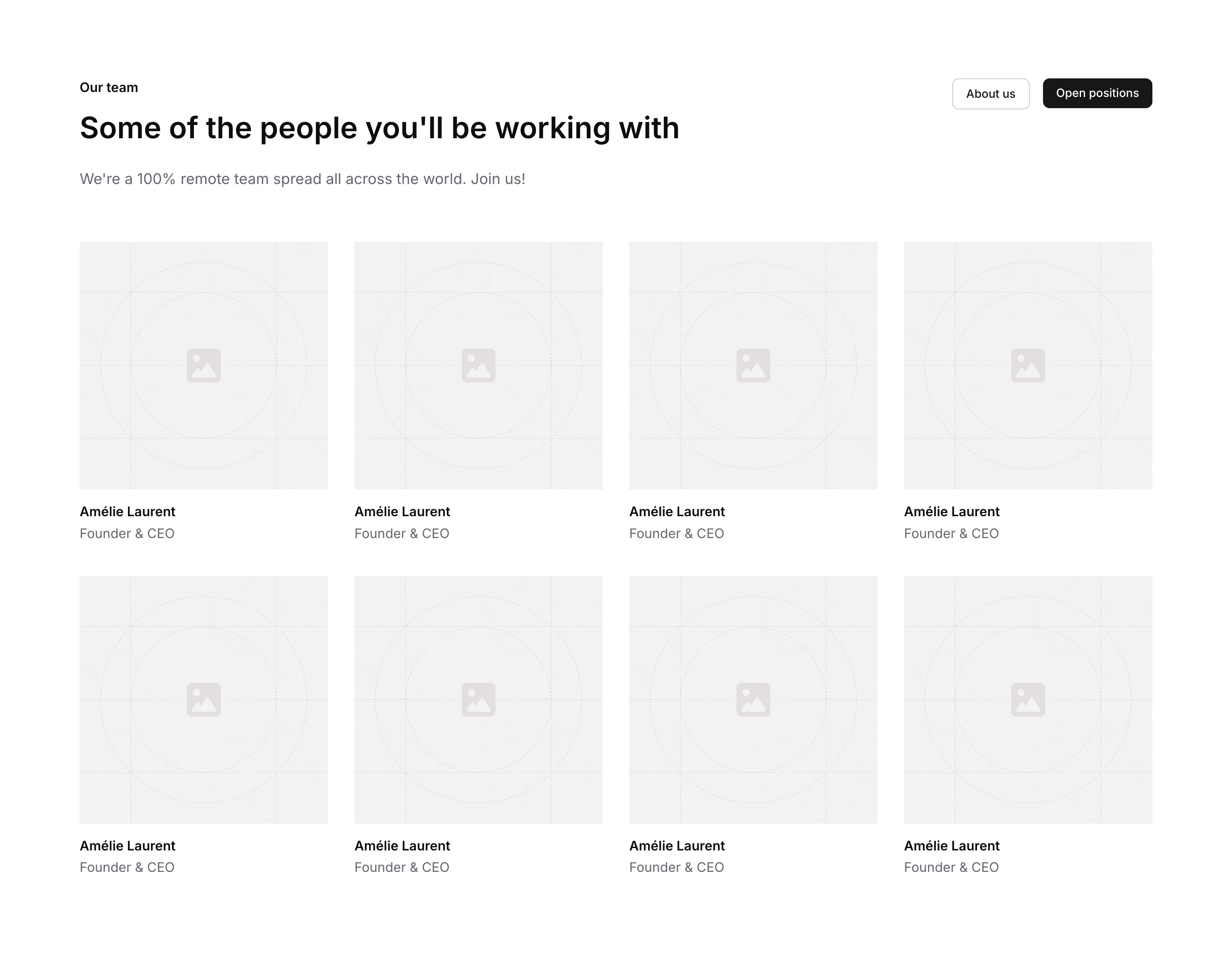
Team 02 is a marketing component designed to showcase a company’s team section. It includes a header group with a title (‘Our team’), a headline (‘Some of the people you’ll be working with’), a supporting description, and two call-to-action buttons (‘About us’ and ‘Open positions’). It is intended for landing pages or company websites to introduce the team and drive user engagement.

How to use

1

Open the Brikl panel

Navigate to the Marketings category in the Brikl panel.
2

Copy the component

Find Team 02 and click Copy.
3

Paste into your editor

Paste it into your Bubble canvas with Cmd + V (Mac) or Ctrl + V (Windows), or right-click on the canvas and select Paste.

States

This component includes conditional states that automatically change its appearance.
StateTriggerVisual effect
Mobile layout - Content GroupPage width is less than or equal to 768pxRow gap of the content group changes to 64
Mobile layout - CTA GroupPage width is less than or equal to 768pxCTA group minimum width expands to 100%
Mobile layout - About Us ButtonPage width is less than or equal to 768pxAbout Us button minimum width expands to 100%
Hover - About Us ButtonButton is hoveredBackground color changes to rgba(245, 244, 244, 1)
Disabled - About Us ButtonButton is not clickableButton opacity reduces to 50%
Mobile layout - Open Positions ButtonPage width is less than or equal to 768pxOpen Positions button minimum width expands to 100%
Hover - Open Positions ButtonButton is hoveredButton opacity reduces to 90%
Disabled - Open Positions ButtonButton is not clickableButton opacity reduces to 50%
Mobile layout - Title & Description GroupPage width is less than or equal to 768pxTitle and description group minimum width expands to 100%
Small screen - Headline font sizePage width is less than 768pxHeadline font size reduces from 36px to 30px
These states are handled natively by Bubble and require no additional setup. They will work automatically once the component is pasted into your editor.

Responsive

This component adapts to mobile screens. Font sizes and layout automatically adjust on screens smaller than Bubble’s built-in mobile breakpoint.

Requirements

LicenseStarter plan required
PluginsNone
Custom codeNot required

Platforms

PlatformSupported
Web
Mobile

License

This component requires a Starter plan.