
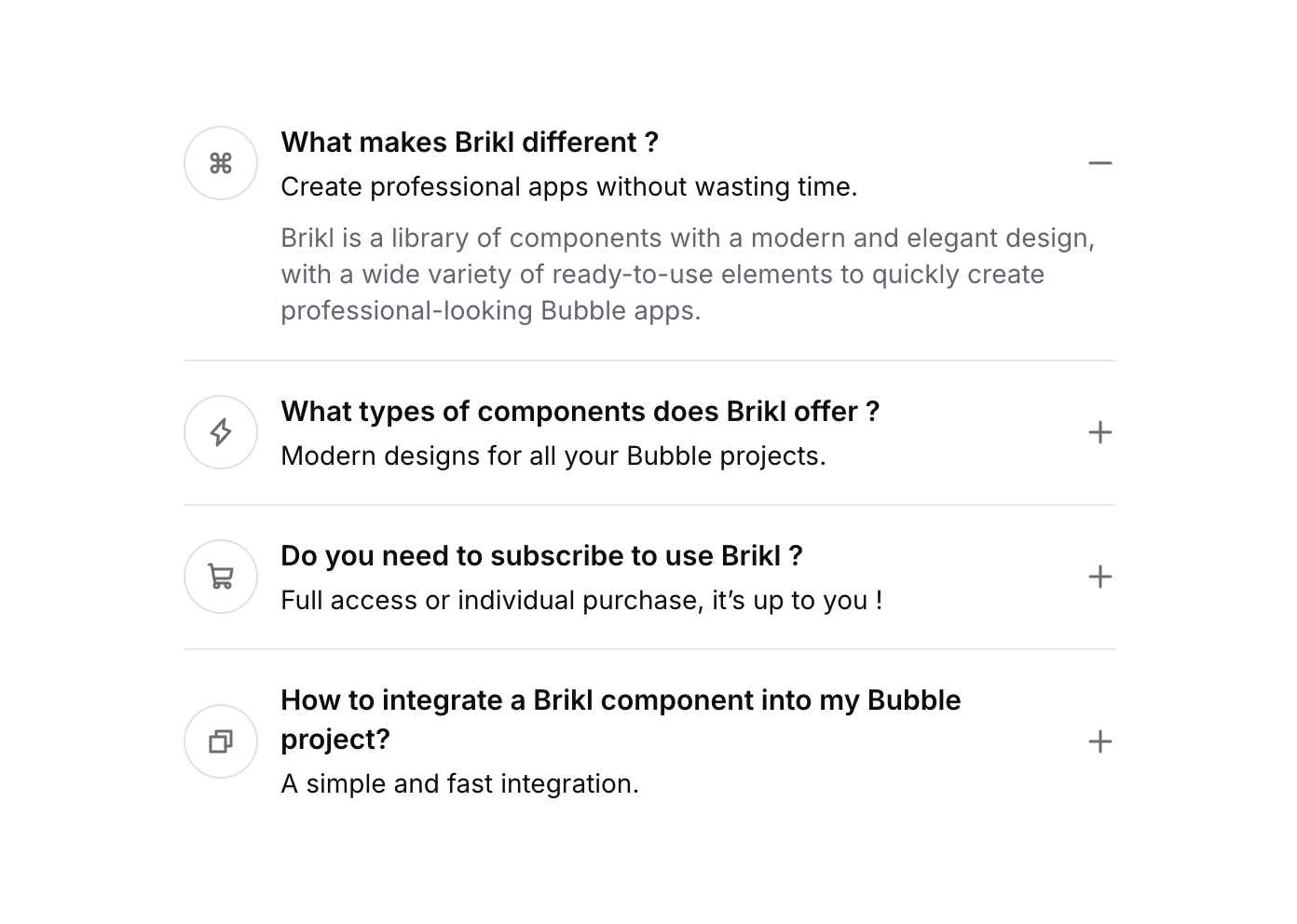
Accordion 08

Overview

Accordion 08 is a collapsible FAQ-style component featuring multiple toggle items, each with a title, sub-header text, a plus/minus icon, and a copy action button. It is designed to show or hide content panels on click, making it ideal for FAQ sections, feature explanations, or any structured expandable content layout.

How to use

1

Open the Brikl panel

Navigate to the Elements category in the Brikl panel.
2

Copy the component

Find Accordion 08 and click Copy.
3

Paste into your editor

Paste it into your Bubble canvas with Cmd + V (Mac) or Ctrl + V (Windows), or right-click on the canvas and select Paste.

States

This component includes conditional states that automatically change its appearance.
StateTriggerVisual effect
Item 01 OpenUser clicks on Toggle 01 header groupContent panel for item 01 becomes visible; icon may switch from plus to minus
Item 02 OpenUser clicks on Toggle 02 header groupContent panel for item 02 becomes visible; icon may switch from plus to minus
Item 03 OpenUser clicks on Toggle 03 header groupContent panel for item 03 becomes visible; icon may switch from plus to minus
Item CollapsedUser clicks on an already open toggle itemThe custom state resets to 0, collapsing the content panel and restoring the plus icon
These states are handled natively by Bubble and require no additional setup. They will work automatically once the component is pasted into your editor.

Responsive

This component adapts to mobile screens. Font sizes and layout automatically adjust on screens smaller than Bubble’s built-in mobile breakpoint.

Workflows

This component includes pre-built workflows.
TriggerAction
Toggle 01 header group clickedSets custom state ‘accordion_item_’ on the container: if item_01_ equals current value, resets to 0 (collapse); otherwise sets to item_01_ value (expand)
Toggle 02 header group clickedSets custom state ‘accordion_item_’ on the container: if item_02_ equals current value, resets to 0 (collapse); otherwise sets to item_02_ value (expand)
Toggle 03 header group clickedSets custom state ‘accordion_item_’ on the container: if item_03_ equals current value, resets to 0 (collapse); otherwise sets to item_03_ value (expand)
These workflows are included when you use the Copy with Workflows option in the Brikl panel.

Requirements

LicenseStarter plan required
PluginsNone
Custom codeNot required

Platforms

PlatformSupported
Web
Mobile

License

This component requires a Starter plan.