
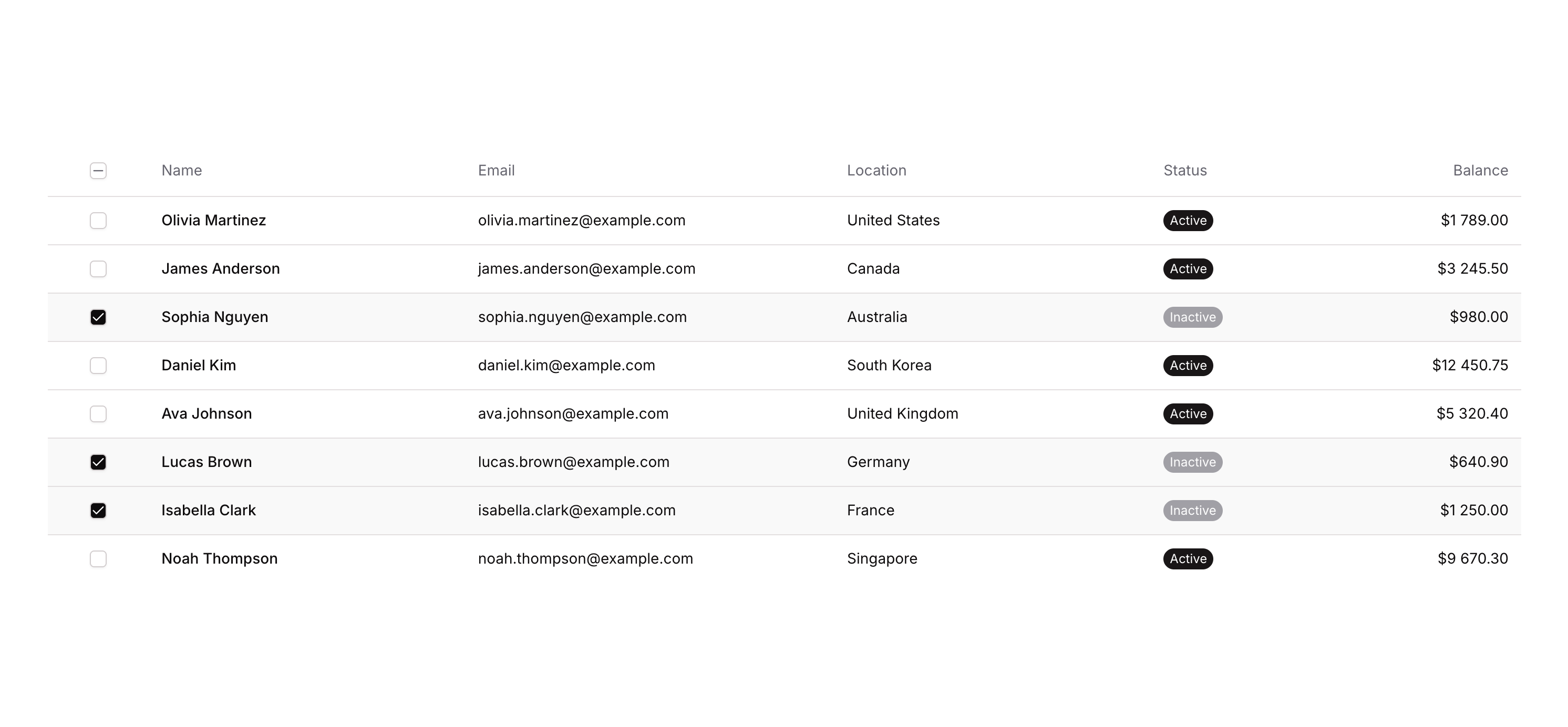
Table 07

Overview

Table 07 is a multi-column data table component designed for web applications. It features a header row with sortable-style columns (Name, Status, Balance, Email, Location) and a select-all checkbox mechanism. The table supports row-level item selection via checkboxes, tracking selected items through custom states on the table element. It is ideal for displaying lists of users or records with bulk selection functionality.

How to use

1

Open the Brikl panel

Navigate to the Elements category in the Brikl panel.
2

Copy the component

Find Table 07 and click Copy.
3

Paste into your editor

Paste it into your Bubble canvas with Cmd + V (Mac) or Ctrl + V (Windows), or right-click on the canvas and select Paste.

States

This component includes conditional states that automatically change its appearance.
StateTriggerVisual effect
No items selectedNo items exist in the custom state list (count equals 0)The select-all checkbox icon shows a white background with no check mark (empty square appearance)
All items selectedThe count of selected items equals the total count of available list dataThe select-all checkbox icon shows a filled dark background with a check mark (feather check icon)
Partial items selectedSome but not all items are selected (count not equal to total and count not equal to 0)The select-all checkbox icon shows a minus icon with a gray color indicating partial selection
These states are handled natively by Bubble and require no additional setup. They will work automatically once the component is pasted into your editor.

Responsive

This component adapts to mobile screens. Font sizes and layout automatically adjust on screens smaller than Bubble’s built-in mobile breakpoint.

Workflows

This component includes pre-built workflows.
TriggerAction
Icon - Checkbox Select All is clicked (no condition)Sets the table’s custom state ‘custom.items_’ to the full list data from the ancestor Table element, selecting all items
Icon - Checkbox Select All is clicked (when all items are already selected)Clears the table’s custom state ‘custom.items_’, deselecting all items
Icon - Checkbox Select Item is clicked (when current row item is not in selected list)Adds the current row’s TableCrossAxis data item to the table’s ‘custom.items_’ custom state list
Icon - Checkbox Select Item is clicked (when current row item is already in selected list)Removes the current row’s TableCrossAxis data item from the table’s ‘custom.items_’ custom state list
These workflows are included when you use the Copy with Workflows option in the Brikl panel.

Requirements

LicenseStarter plan required
PluginsNone
Custom codeNot required

Platforms

PlatformSupported
Web
Mobile

License

This component requires a Starter plan.