
Documentation Index

Fetch the complete documentation index at: https://docs.brikl.co/llms.txt

Use this file to discover all available pages before exploring further.

Integrations 08

Overview

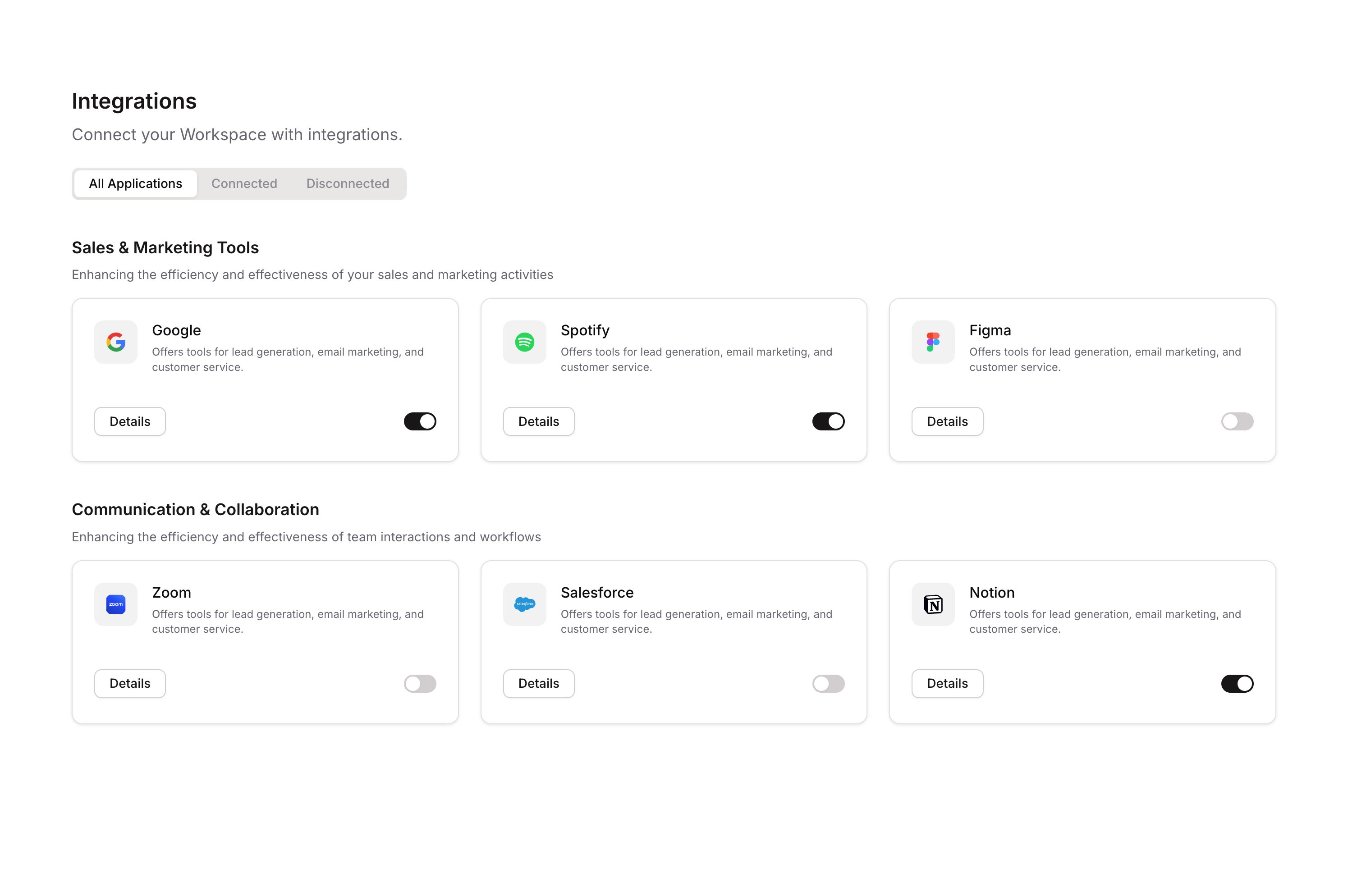
This component displays a Sales & Marketing Tools integrations section where users can view and manage connections to various platforms (e.g., Google). Each integration card shows a logo, name, description, and a toggle switch that allows users to connect or disconnect the integration. The component uses custom states to track each integration’s connection status and supports conditional visibility based on a category filter.

How to use

1

Open the Brikl panel

Navigate to the Marketings category in the Brikl panel.
2

Copy the component

Find Integrations 08 and click Copy.
3

Paste into your editor

Paste it into your Bubble canvas with Cmd + V (Mac) or Ctrl + V (Windows), or right-click on the canvas and select Paste.

States

This component includes conditional states that automatically change its appearance.
StateTriggerVisual effect
ConnectedUser clicks the toggle switch when integration is in Disconnected stateThe integration card updates to show a Connected status, toggling the switch appearance
DisconnectedUser clicks the toggle switch when integration is in Connected stateThe integration card updates to show a Disconnected status, toggling the switch appearance
Filtered/HiddenA category filter element (radio) is set to a value that does not match the card’s categoryThe integration card becomes hidden/invisible
Mobile LayoutPage width is less than or equal to 1024px or 768pxCard and group widths expand to 100% for responsive mobile layout
These states are handled natively by Bubble and require no additional setup. They will work automatically once the component is pasted into your editor.

Responsive

This component adapts to mobile screens. Font sizes and layout automatically adjust on screens smaller than Bubble’s built-in mobile breakpoint.

Workflows

This component includes pre-built workflows.
TriggerAction
Switch (Google) clicked when custom state item_ equals DisconnectedSets custom state item_ on Google group element to Connected
Switch (Google) clicked when custom state item_ equals ConnectedSets custom state item_ on Google group element to Disconnected
Switch (second integration) clicked when custom state item_ equals DisconnectedSets custom state item_ on second integration group element to Connected
Switch (second integration) clicked when custom state item_ equals ConnectedSets custom state item_ on second integration group element to Disconnected
Switch (third integration) clicked when custom state item_ equals DisconnectedSets custom state item_ on third integration group element to Connected
Switch (third integration) clicked when custom state item_ equals ConnectedSets custom state item_ on third integration group element to Disconnected
These workflows are included when you use the Copy with Workflows option in the Brikl panel.

Requirements

LicenseStarter plan required
PluginsNone
Custom codeNot required

Platforms

PlatformSupported
Web
Mobile

License

This component requires a Starter plan.