
Documentation Index

Fetch the complete documentation index at: https://docs.brikl.co/llms.txt

Use this file to discover all available pages before exploring further.

Popup 13

Overview

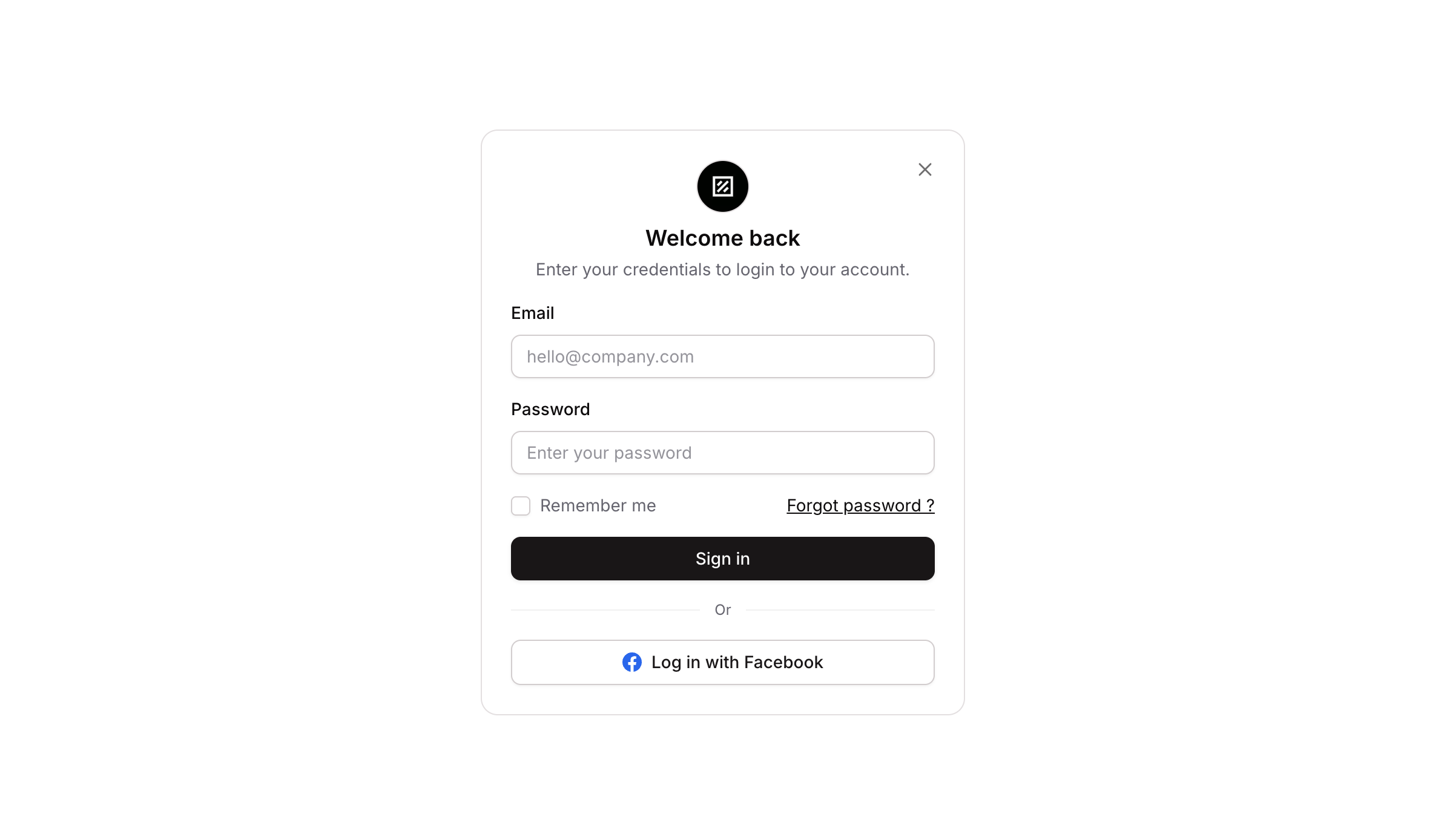
Popup 13 is a login modal component that allows users to authenticate into their account. It includes a branded icon, a welcome title, a subtitle, email and password input fields, a remember me toggle, and a sign in button. It also supports showing/hiding the popup and handles the full login workflow including credential submission.

How to use

1

Open the Brikl panel

Navigate to the Elements category in the Brikl panel.
2

Copy the component

Find Popup 13 and click Copy.
3

Paste into your editor

Paste it into your Bubble canvas with Cmd + V (Mac) or Ctrl + V (Windows), or right-click on the canvas and select Paste.

States

This component includes conditional states that automatically change its appearance.
StateTriggerVisual effect
Button HoveredUser hovers over the Sign In buttonButton opacity reduces to 90%
Button DisabledSign In button is not clickableButton opacity reduces to 50%
Input FocusedUser clicks into the Email input fieldBox shadow appears around the input to indicate focus
Input InvalidEmail input fails validationBorder turns red and a red box shadow appears around the input
Input DisabledEmail input is not clickableInput opacity reduces to 50%
Remember Me ActiveUser clicks the remember me checkbox when it is falseCustom state ‘remember_me_’ is set to true
Remember Me InactiveUser clicks the remember me checkbox when it is trueCustom state ‘remember_me_’ is set to false
These states are handled natively by Bubble and require no additional setup. They will work automatically once the component is pasted into your editor.

Responsive

This component adapts to mobile screens. Font sizes and layout automatically adjust on screens smaller than Bubble’s built-in mobile breakpoint.

Workflows

This component includes pre-built workflows.
TriggerAction
Sign In button (bTUaz) - ButtonClickedLogs the user in using the email input value, password input value, and the remember me custom state
Remember Me checkbox (bTUcT) - ButtonClicked (when remember_me_ is false)Sets the custom state ‘remember_me_’ on the popup to true
Remember Me checkbox (bTUcT) - ButtonClicked (when remember_me_ is true)Sets the custom state ‘remember_me_’ on the popup to false
Close button (bTUbj) - ButtonClickedHides the popup element (bTUag)
Open/Show button (bTUbt) - ButtonClickedShows the popup element (bTUag)
These workflows are included when you use the Copy with Workflows option in the Brikl panel.

Requirements

LicenseStarter plan required
PluginsNone
Custom codeNot required

Platforms

PlatformSupported
Web
Mobile

License

This component requires a Starter plan.